1. HTTP (HyperText Transfer Protocol)
HTTP is the foundation of data communication on the web.
- Purpose: It allows the exchange of information between a client (browser) and a web server.
- How It Works: It operates on a request-response model where the client sends a request to the server, and the server responds with the requested data (e.g., web pages, images, or other resources).
- Limitations:
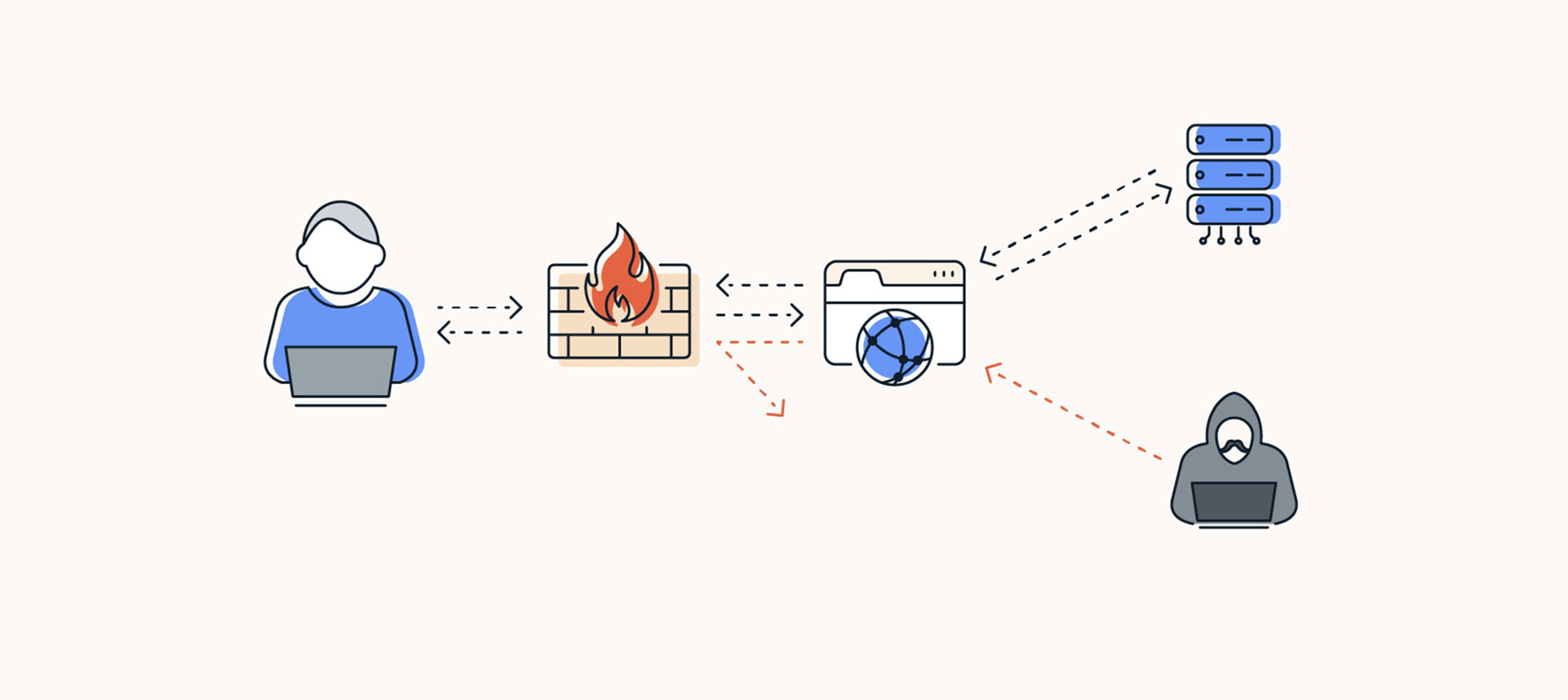
- It is not secure since data is transmitted in plaintext, making it vulnerable to interception by attackers.
- Often used for static websites or non-sensitive communications.
2. HTTPS (HyperText Transfer Protocol Secure)
HTTPS is the secure version of HTTP, adding encryption for privacy and security.
- Purpose: Ensures that the data exchanged between the client and the server is encrypted and secure.
- Features:
- Uses SSL (Secure Sockets Layer) or TLS (Transport Layer Security) for encryption.
- Protects against man-in-the-middle attacks, data tampering, and eavesdropping.
- Applications:
- Commonly used for e-commerce websites, banking platforms, and any website handling sensitive user data like passwords or credit card information.
3. HTTP/3 (QUIC)
HTTP/3 is a modern, faster, and more secure version of HTTP, built on the QUIC transport protocol.
- Purpose: Enables faster and more secure communication over the web, reducing latency and improving performance.
- Features:
- Uses UDP instead of TCP for faster data transmission.
- Eliminates multiple TCP handshakes, reducing latency.
- Built-in encryption for secure communication.
- Applications:
- Web browsing for faster page loads.
- Streaming services and real-time applications.
- Strengths: Optimized for modern internet needs with faster and secure connections.
4. WebSocket
WebSocket is a protocol that enables full-duplex communication between client and server over a single, long-lived connection.
- Purpose: Allows real-time data exchange without repeated HTTP requests, making it ideal for interactive and low-latency applications.
- Features:
- Enables continuous two-way communication.
- Reduces the overhead of repeated HTTP requests and responses.
- Applications:
- Live chat and messaging applications.
- Real-time gaming and collaborative tools.
- Stock price updates and live notifications.
- Strengths: Highly efficient for real-time applications, providing low latency and continuous data flow.
5. FTP (File Transfer Protocol)
FTP is used for transferring files over a network.
- Purpose: Allows users to upload, download, or manage files on remote servers.
- How It Works:
- Operates on a client-server model. The user connects to the server using an FTP client (software) and can perform actions like uploading or downloading files.
- Limitations:
- Lacks encryption, which means data (including login credentials) can be intercepted.
- Modern alternatives like SFTP (Secure File Transfer Protocol) are preferred for secure transfers.
6. TCP (Transmission Control Protocol)
TCP is a core protocol of the internet that ensures reliable data transmission.
- Purpose: Provides a connection-oriented communication channel, ensuring data is delivered accurately and in order.
- How It Works:
- Establishes a connection before transmitting data (three-way handshake).
- Ensures retransmission if packets are lost or arrive out of order.
- Applications:
- Used in scenarios where accuracy is crucial, such as web browsing, file transfers, and email communication.
- Strengths: Reliable and robust, but slightly slower due to error-checking mechanisms.
7. IP (Internet Protocol)
IP is the backbone of networking, responsible for addressing and routing data packets.
- Purpose: Ensures that data packets are routed from the sender to the correct destination.
- How It Works:
- Each device on a network has a unique IP address. The protocol uses these addresses to deliver packets.
- Supports IPv4 (32-bit addressing) and IPv6 (128-bit addressing) to meet growing network demands.
- Applications:
- Used in virtually all internet communications, including web browsing, streaming, and email.
8. UDP (User Datagram Protocol)
UDP is a lightweight protocol designed for fast and connectionless communication.
- Purpose: Provides low-latency data transmission without guaranteeing delivery or order.
- How It Works:
- Data is sent in packets called datagrams, but there’s no acknowledgment or retransmission if packets are lost.
- Unlike TCP, it does not establish a connection before sending data.
- Applications:
- Ideal for real-time applications like video streaming, gaming, and voice calls where speed matters more than reliability.
- Strengths and Weaknesses: Faster than TCP but less reliable.
9. SMTP (Simple Mail Transfer Protocol)
SMTP is the standard protocol for sending emails.
- Purpose: Facilitates the sending of emails between clients and servers.
- How It Works:
- Works alongside other protocols like IMAP and POP3 for retrieving emails.
- Once an email is sent, SMTP ensures it is transferred to the recipient’s mail server.
- Limitations:
- Basic SMTP does not encrypt emails, making them vulnerable to interception unless combined with secure methods like STARTTLS.
- Applications:
- Widely used for sending messages in corporate email systems, webmail services, and newsletters.
10. SSH (Secure Shell)
SSH provides secure access to remote devices and systems.
- Purpose: Allows users to remotely manage and control servers or devices securely.
- Features:
- Provides encrypted communication, ensuring that login credentials and session data are safe.
- Supports file transfers and command execution on remote systems.
- Applications:
- Used by system administrators and developers to access remote servers, configure systems, and manage network resources securely.
- Strengths: A secure alternative to older protocols like Telnet, which transmits data in plaintext.